ESI JDE SSO Suite
JD Edwards SSO without a risky JD Edwards project
Secure, seamless access to JD Edwards through your existing identity provider — without reconfiguring JDE for (or away from) LDAP, changing your JDE security model, or adding another database to maintain.
- Works with Microsoft Entra ID / Azure AD, Okta, ADFS, Duo, Auth0, Google, Oracle Identity Cloud, SAML2, OpenID Connect, JWT, Kerberos, NTLMv2 and client certificates.
- Typically installed by our team in about one hour, with installation assistance included.
- Supports JDE Web, Fat/Dev Client, Server Manager, Orchestrator Studio, workflow links, AIS and many third-party JDE tools.
- Designed for real JDE estates: multiple releases, environments, domains, forests and JDE accounts per user.
Modern identity for JDE, without disturbing JDE
JD Edwards authentication is often hard to modernize because the system is business-critical, mature and surrounded by real-world complexity: legacy releases, multiple environments, Fat Client users, external users, approval links, mobile tools and third-party integrations.
Why JDE sites choose it
Low-risk implementation
No JDE LDAP reconfiguration, no JDE security redesign, no client rollout and no additional database requirement. The product is usually installed on a Windows/IIS VM and configured by our team.
Real enterprise identity
Federate JDE with Entra ID, Okta, ADFS, Duo, Auth0, Google, Oracle Identity Cloud and other SAML2 / OpenID Connect providers. Multiple identity providers can be used concurrently.
JDE-specific depth
Supports JDE Web, Fat/Dev Client, Server Manager, Orchestrator Studio, AIS, parameterized URLs, workflow approval links and multiple third-party JDE products.
Auditable access control
Designed for security reviews, MFA policies, selective per-user 2FA, SSL/TLS, client certificates, direct server access prevention and additional logging where required.
Flexible user mapping
AD or identity-provider user names do not need to match JDE user names. A single Windows or IdP account can also be associated with multiple JDE accounts.
Simple scaling
Licensing is per named Windows user with JDE access. Additional SSO servers for high availability, disaster recovery, performance or regional access do not require separate SSO server licenses.
What it helps you fix
For IT, CNC and JDE administrators
- Eliminate routine JDE password prompting for SSO users.
- Avoid the traditional all-or-nothing LDAP implementation pattern.
- Support multiple domains, forests, JDE releases and environments.
- Preserve access paths for Web, Fat/Dev Client, workflow links and third-party tools.
- Reduce JDE password-management workload and help-desk friction.
For security, audit and management
- Bring JDE access under enterprise identity and MFA policies.
- Use JWT authentication into JDE where appropriate, reducing password exposure.
- Apply stronger 2FA selectively to power users, developers or sensitive roles.
- Improve control over direct access to JDE Web/JAS/AIS servers.
- Modernize authentication without launching a major ERP project.
Compatibility and integrations
ESI JDE SSO Suite is built for the complicated JDE environments that generic SSO approaches often miss.
Identity providers
Microsoft Entra ID / Azure AD, ADFS, Okta, Auth0, Duo, Google, Oracle Identity Cloud and other SAML2 / OpenID Connect / OAuth2 providers.
JDE releases
JDE EnterpriseOne releases from XE upwards, including E910 and E920. Oracle Validated Integration applies to EnterpriseOne 9.1 and 9.2.
Third-party tools
Existing interfaces include products such as ReportsNow, RFSmart, RFGen, Rinami and Ephlux, with additional integrations possible where required.
Selected customers
Used by significant JD Edwards sites worldwide, including large enterprise environments with thousands of users.












Other customers include Omron Management Center of America, Pan American Silver, Pernod Ricard and many others.
More detail for technical buyers
Product brief
ESI JDE SSO Suite improves security, user experience and compliance while reducing the ongoing effort of JDE password management. It can be introduced incrementally, so selected users can move to SSO while others continue to use traditional JDE sign-on during rollout.
- Non-intrusive implementation, typically requiring no special JDE configuration.
- Prompt-less JDE access where policy allows, with optional AD, IdP and/or MFA prompts where stronger control is required.
- Support for parameterized URLs, allowing users to open specific JDE applications directly.
- Support for multiple JDE accounts per user and multiple JDE systems concurrently.
- Token exchange interfaces for integrators, including JWT, SAML2 and AIS-token scenarios.
- SAML2 SSO support for other SAML2-enabled applications such as Oracle Analytics Server, OBIEE, Hyperion, Ariba and WebLogic-based applications.
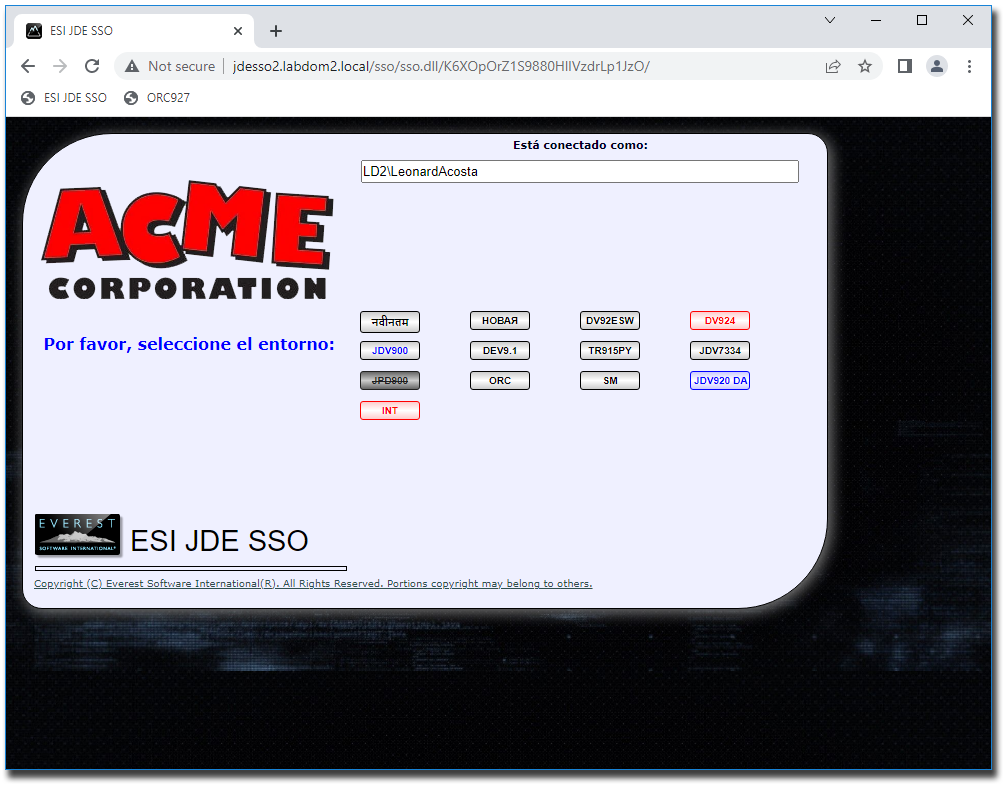
Why this is different from standard JDE LDAP projects
Standard JDE authentication approaches can require user-name alignment, LDAP planning, release-specific constraints and a broad change to the way JDE authentication is handled. ESI JDE SSO Suite provides a different route: enterprise authentication is delegated to your existing identity layer, while the SSO suite handles the JDE-specific mapping and sign-on process.
- Windows / IdP user names do not need to match JDE user names.
- JDE password prompts can be eliminated for SSO users.
- JDE password-management workload can be reduced substantially.
- The solution can also act as a single controlled entry point into JDE Web servers.

Additional modules and security options
- TOTP 2FA plug-in: configurable by user and usable on top of external MFA from Entra ID, Duo, Okta or other providers where stronger per-sign-on control is required.
- FatRunner plug-in: extends the SSO flow, including IdP authentication and optional 2FA, to Fat/Dev Client users.
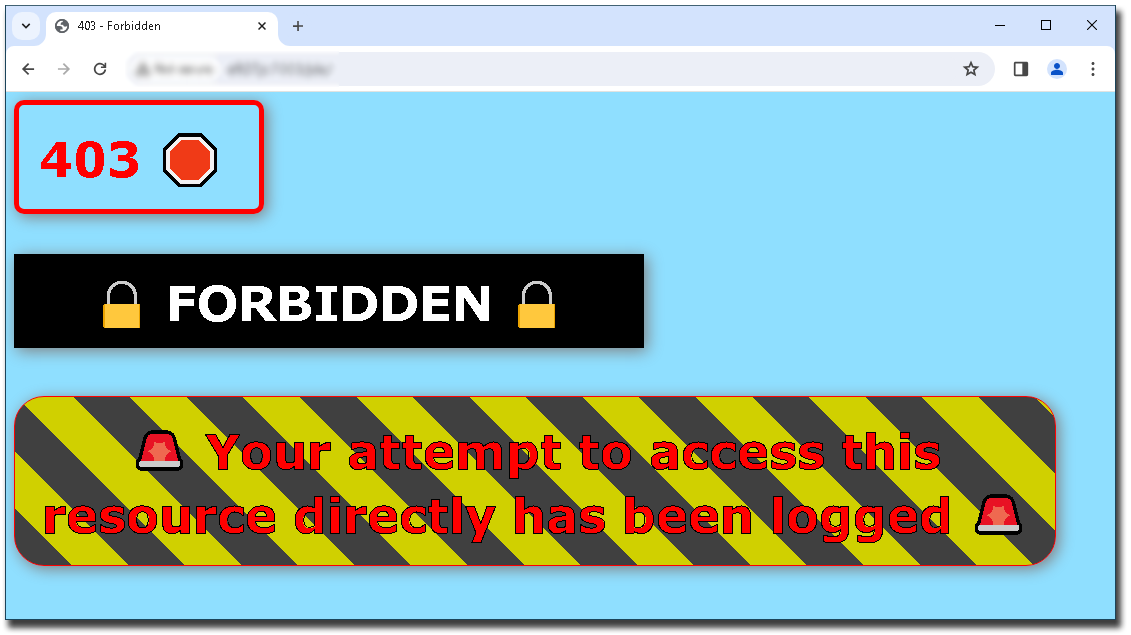
- Direct access prevention: helps prevent users from bypassing the SSO path and accessing JDE Web/JAS/AIS servers directly, while logging failed attempts.
- SAML2 add-on: provides seamless SAML2 SSO access to other SAML2-enabled applications, including Oracle Analytics Server, Hyperion, Ariba and WebLogic-based systems.
Video: SSO with 2FA registration and use
Video: Fat Client SSO with 2FA
Video: WebLogic SAML2 SSO
System requirements
The core server typically runs on a dedicated or shared Windows Server VM with IIS. A common starting point is 2 CPU threads, 2–4 GB RAM and approximately 30 GB free disk space after OS updates and paging file allocation. Larger environments can scale by increasing resources and/or adding additional SSO servers.
- JDE releases: XE (B7333), ERP8 (B7334), B9 (E1 8.9), E810, E811, E812, E900, E910 and E920.
- Backend hardware: independent of JDE backend hardware platform.
- Backend database: independent of JDE backend database platform.
- Client requirements: no client installation for normal Web access; browser behavior may affect available prompting options.
Licensing
Licensing is per named Windows user with JDE access. You do not need to license every Windows user, and you do not need to move every JDE user to SSO at once. Some users can continue to use traditional JDE sign-on if that is convenient during rollout.
Additional SSO servers can be installed for redundancy, performance, disaster recovery or regional access without separate SSO server licensing. Licenses are sold in 100-user packs.
The optional yearly Update/Upgrade Subscription is available at the time of purchase and includes premium support and software updates released during the paid period. It is calculated as 20% of the product list price at the time of invoicing.
Related products
For Security & Systems Management:
- JDE User Password Self-Management — JDE USM
- JDE SSO and USM Bundle — JDE SSO and USM Bundle
Modernize JDE authentication without turning it into a JDE project
Request a trial, installation discussion or technical review. We can help you confirm the right identity-provider path, rollout model and JDE access pattern before you commit.

